| |
How to locate the Tips module:
On the top of the form you will find a navigation panel with 5 round buttons namely: Tips, Tutor, Test, Score and Help.
Move your mouse cursor to the "Tips" button and left click.
The Tips module will now appear.
Working with the Mouse
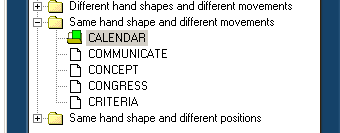
On the left side of the form you will find a "treeview" which contains several items.
Simply double left click on any item to expand it.
Items are contained within categories and sub-categories.
Categories and sub-categories can easily be identified by a yellow folder  . .
Working with the Keyboard
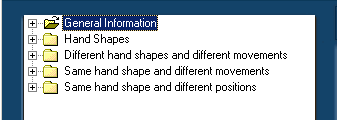
To use the keyboard for navigating through the treeview on the left side of the form, the treeview must have "input focus". To
give it input focus, repeatedly press the <TAB> key to move the input focus between all the different components in the form.
When the treeview has input focus the selected item will be colored in blue. See image:
Use the up and down arrows to navigate up and down and the left and right arrows to expand or collapse an item in the treeview. To view or play the selected item press the <RETURN> key on your keyboard. Note that when a category or sub-category has been selected nothing will happen when you press the <RETURN> key. You must select an item that contains information prior to pressing the <RETURN> key.Download a "free-no-obligation" demo today. |


